


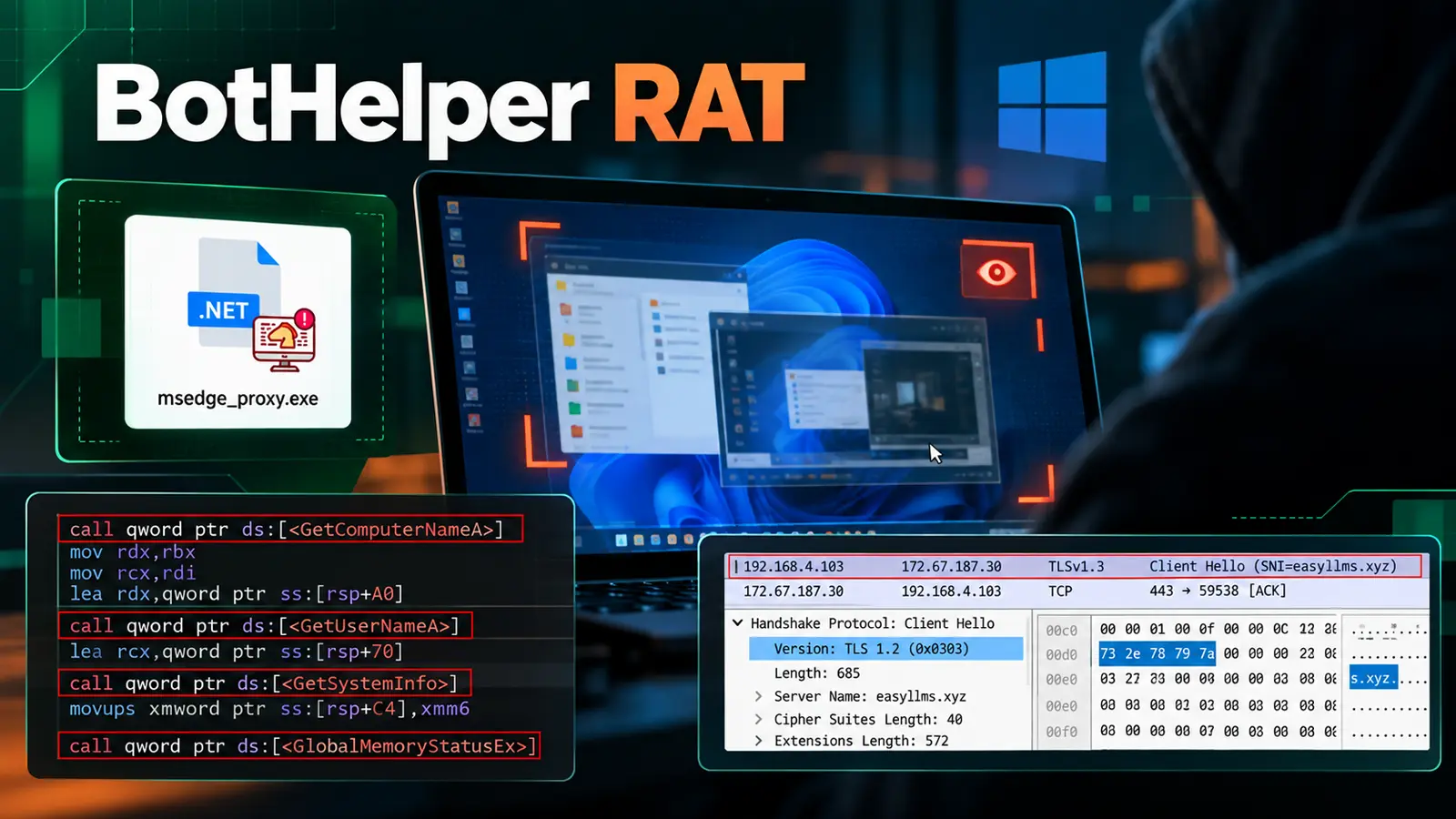
A newly documented Windows remote access trojan, dubbed BotHelper RAT, gives attackers a quiet way to watch an infected user’s screen and control the device.
The malware arrives through a small starter program, hides its main code with encryption, and uses a trusted-looking file name to avoid drawing attention.
The attack begins when the starter profiles the computer, including its name, user, processor and memory. It then contacts a remote server over HTTPS, bypasses certificate checks, and downloads an encrypted file into memory before decrypting it.
The report does not identify how the initial program reached victims. Point Wild analysts identified the previously undocumented .NET tool after tracing that chain from the first-stage program to its live surveillance functions.
Point Wild said in a report shared with Cyber Security News (CSN) that the activity shows how familiar techniques can conceal a Windows intrusion.
The recovered payload is written to the temporary folder under a name resembling a Microsoft Edge component, then starts invisibly.
It also creates a hidden copy and a scheduled task that relaunches it every 30 minutes, much like scheduled task persistence tactics seen in other Windows RAT operations.
BotHelper RAT Uses Encrypted Payloads
BotHelper’s first stage downloads 52,744 bytes of opaque data from infrastructure controlled by the operators. The file has no normal Windows executable header or readable strings, limiting what reputation tools reveal.
A position-dependent XOR routine decrypts the data only at runtime, exposing the executable in memory. Once active, the RAT checks in using the victim’s device identifier and receives tasks from PHP-based server endpoints.
During the observed activity, the server sent Screenshot and ScreenStreamStart commands with a rate of three frames per second and JPEG quality set to 40. This enabled live surveillance.

The program captures the whole visible desktop, shrinks each frame, encodes it as a JPEG, and uploads it without saving the images locally.
Researchers observed 1440 by 810 frames sent at 333-millisecond intervals. Failed captures do not stop the stream, while a 50-millisecond delay caps it at 20 frames per second.
This matters because screen surveillance can expose email, internal applications, documents, security prompts and account activity without the attacker needing to steal every file directly.
That echoes RAT remote-control capabilities, where one foothold can support spying, theft and further access across a Windows environment.
Persistence and Broader Remote Control
BotHelper’s command handler goes beyond screen capture. It can run commands through Command Prompt or PowerShell, download and execute files, monitor the clipboard, display messages, restart or shut down the device, and load additional DLL plugins at runtime.
The clipboard feature may support cryptocurrency address substitution, adding a potential financial-theft risk. Its encrypted delivery and memory-focused execution make the infection chain harder to inspect using basic file scans alone.
The RAT also patches the Windows Antimalware Scan Interface, or AMSI, before preparing its client functions. That behavior resembles encrypted loader evasion methods, in which attackers hide a final payload until runtime.
Defenders investigating a suspected compromise should isolate the host, inspect scheduled tasks and hidden copies, and search for the indicators below.
They should also look for unexpected outbound HTTPS connections, temporary-folder executables posing as browser components, and unusual screen-capture or image-upload activity.
Removing only the temporary executable may not end the infection because the scheduled task can restore execution.
.webp)
Organizations should apply endpoint controls that detect behavior across the full chain, especially certificate-validation bypasses, in-memory payload decryption, AMSI tampering, new scheduled tasks, and suspicious child processes.
Security teams should reset potentially exposed credentials and examine active sessions, since a live view of a screen could reveal information that traditional file-theft alerts never record.
A clean URL or encrypted download is not necessarily harmless. BotHelper combines host profiling, stealthy execution, persistence and real-time viewing in a compact toolkit.
Its expandable command set means the observed screen stream may be only one part of an operator’s wider objectives on a compromised Windows system.
Indicators of compromise (IoCs):-
| Type | Indicator | Description |
|---|---|---|
| SHA-256 | 8f39fe882e45dfa8a7446d59dfef86b583a868ff846ade86124a57041f5c63fd | Stager file hash. |
| SHA-256 | 0d41ce75da4f3404734358411a72ffc4169376dcfebda52ac50eb66eac73d2f6 | RAT file hash. |
| File name | WindowsUpdate.exe | Stager filename listed in the source. |
| File name | Msedge_proxy.exe | RAT filename listed in the source’s indicator section. |
| File path | %TEMP%\msedge_proxy.exe | Path used when the decrypted RAT is written to disk. |
| File name | payload.bin | Encrypted second-stage download. |
| File name | bot_log.txt | Log file observed in the temporary folder. |
| Domain | easyllms[.]xyz | Payload host and command-and-control domain. |
| Download URL | easyllms[.]xyz/f10c24902875d97a8fef69a3b3a7b5aafb835b7bbfad749c3c161296c745867ea831d7f0133f2f819cd602b3a4b5e41a3dd69024533d8da49cefdd907cc126ed/uploads/Files/payload[.]bin | Encrypted payload location, reproduced in the source’s defanged form. |
| IP address | 172.67.187.30 | Destination observed in the network capture; not established as a dedicated server address. |
| IP address | 192.168.4.103 | Infected host’s private address in the researchers’ network capture, not a malicious destination. |
| Endpoint | ping.php | Device check-in and tasking. |
| Endpoint | connect.php | Device registration. |
| Endpoint | screen_live.php | Live-frame upload. |
| Endpoint path | /api/v1/screen_live.php | Live-frame upload path visible during debugging. |
| Endpoint | screen_upload.php | Screenshot upload. |
| Endpoint | task_run.php | Successful task reporting. |
| Endpoint | task_failed.php | Failed task reporting. |
| Server path | /uploads/Files/ | Location used by a download-and-run command. |
| Server path | /uploads/Plugins/ | Location used to retrieve plugins. |
| Partial file name | 10e331480a0c…c2b91.jpg | Truncated frame-upload name shown in the source; not a complete filename. |
Note: IP addresses and domains are intentionally defanged (e.g., [.]) to prevent accidental resolution or hyperlinking. Re-fang only within controlled threat intelligence platforms such as MISP, VirusTotal, or your SIEM.
Cut every SOC alert investigation by 21 min. Power your SOC with instant IOC context for immediate response: Integrate TI Lookup in your SOC
